













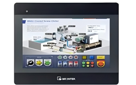
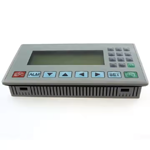


- Industrial display
-
Industrial Products
- DC Servo Drive
- AC Servo Drive
- Industrial board
- Siemens
- Switch Sensor
- Proximity Switch
- Temperature Controller
- Protection Relay
- Fiber Optic Sensor
- Encoder
- Fan
- other
- Heidelberg
- MITSUBISHI
- FANUC
- Siemens adapter
- Fujitsu connector
- Motherboard
- Board
- Contactor
- Circuit
- OMRON
- Relay
- Motor Driver
- power supply
- Cable
- Transformer
- HMI Touch Glass
-
HMI Full Machine Whole unit
- OMRON HMI Touch Panel
- Siemens HMI Touch Panel
- Mitsubishi HMI Touch Panel
- Allen-Bradley automation HMI Touch Panel
- DELTA HMI Touch Panel
- Proface HMI Touch Panel
- KINCO DELTA HMI Touch Panel
- HITECH HMI Touch Panel
- WEINTEK HMI Touch Panel
- TECVIEW HMI Touch Panel
- WEINVIEW HMI Touch Panel
- PANASONIC HMI Touch Panel
- KYOCERA HMI Touch Panel
- SCHNEIDER HMI Touch Panel
- Module
- lcd inverter
- Membrane Keypad Switch
- Zhiyan Customized Touch Screens
- Frequency Inverter
- Servo Motor
- PLC
When the display on a CNC control dies, every hour of downtime costs money — and a complete OEM monitor unit can cost far more than the panel inside it. Zhiyan Optronics (ZY LCD Shop), an industrial LCD supplier since 2008 specializing in EOL and hard-to-find models, has released a six-step guide toreplacing a CNC machine LCD screen at panel level, the repair path most machine shops choose first.
Know the Symptoms Before You Order
Dim, pinkish or flickering image→ aging CCFL backlight tubes.
Completely dark screen, faint image visible with a flashlight→ failed backlight inverter board (a cheap fix — don't scrap the panel!).
Lines, blotches, dead zones→ the LCD panel itself or its ribbon cable.
Display fine, touch dead→ the resistive touch glass is a separate part; we supplytouch glass, inverters and HMI modulestoo.
Step 1 — Identify the Exact Panel Model
Power down the machine, wait for the drives to discharge, photograph every cable, then remove the bezel. The truth is on thelabel at the back of the panel— not the machine brand. These are the CNC panels we ship most:
Panel | Size / Resolution | Typical Equipment |
7.2" 640×480 mono (CCFL) | Legacy Fanuc-era CNC controls | |
8" 640×480 VGA | CNC, injection-molding machines | |
Sharp LQ10D41 / LQ10D421 (Sharp lineup) | 10.4" 640×480, dual CCFL | Machine tools, robot controllers |
Kyocera KG057 series (Kyocera lineup) | 5.7" 320×240 | Compact operator panels |
10.4" 800×600 SVGA | Industrial HMI | |
8.4" 640×480 VGA | Industrial & medical instruments | |
10.4" 1024×768 XGA | Mitsubishi-based control units |
Step 2 — Check the Backlight: CCFL or LED?
Most CNC panels built before ~2012 useCCFL tubes driven by a high-voltage inverter board. If your screen is dark but the control still runs, test the inverter first — replacement boards like thePCB-N3206D/AB-03 LCD inverterare in stock and cost a fraction of a new panel. Upgrading a worn CCFL panel to LED is also possible with matched driver kits — see ourlegacy NEC CCFL-to-LED upgrade solutionsfor how this works.
Step 3 — Match the Interface, Voltage and Mechanics
CNC panels speakLVDS or TTL/RGB — almost never eDP. Verify three things against the datasheet: interface & pinout, supply voltage (3.3V vs 5V mistakes destroy panels), and outline/mounting holes. Not sure what LVDS and eDP even are? Read ourLVDS vs eDP LCD interface guidefirst — it takes five minutes and prevents the most common ordering error.
Step 4 — Order Industrial Grade, Original, Tested
A consumer panel rated 0–50°C will not survive a hot workshop cabinet (here'show to tell industrial from consumer grade). Order the exact model or a verified cross-reference, 100% original and pre-ship tested. If your model is discontinued, don't panic — we stock 100,000+ models including EOL lines;browse by manufactureror send us the label photo for a compatible match within 24 hours.
Step 5 — Install It Safely
Wear an ESD strap; handle the panel by its metal frame, never press the polarizer.
Transfer brackets and gaskets from the old panel if the new one ships bare.
Seat connectors fully and lock them; route CCFL high-voltage leads away from metal edges.
Power on and test before reassembling the bezel— check image, colors and dead pixels.
Step 6 — Test, Calibrate, Back to Production
Run the control through its screens, verify brightness, and recalibrate the touch panel from the control's maintenance menu if the touch glass was replaced. In-stock panels ship in1–3 dayswith 5–7 day worldwide DHL/FedEx/UPS delivery and a6-month RMA— most machines are back in production within two weeks of ordering.
FAQ
Q1: Will replacing the LCD erase my CNC programs?
No. Programs and parameters live in the control's memory, not the display. The LCD is just a monitor — swapping it never touches your G-code.
Q2: My screen is dark but the machine still runs. Do I need a whole new panel?
Usually not — that symptom points to the CCFL backlight or its inverter board. Replace the inverter first; it's the cheapest fix in industrial repair.
Q3: Can I upgrade my old CCFL panel to LED?
Yes, with a matched LED strip/driver kit or by choosing the LED revision of the same model family. Ask our engineers for the correct kit for your panel.
Q4: My panel model is discontinued — is the machine scrap?
Almost never. Between EOL stock, verified cross-references and A/D board solutions, there is nearly always a repair path. Send the model number to
service@zylcdshop.comor WhatsApp+86 188 2017 2049.Get a quote within 24 hours atwww.zylcdshop.com— original panels, six-step QC, transport damage covered in full.





