
















- Industrial display
-
Industrial Products
- DC Servo Drive
- AC Servo Drive
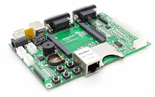
- Industrial board
- Siemens
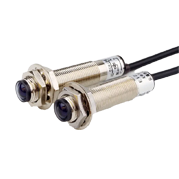
- Switch Sensor
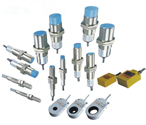
- Proximity Switch
- Temperature Controller
- Protection Relay
- Fiber Optic Sensor
- Encoder
- Fan
- other
- Heidelberg
- MITSUBISHI
- FANUC
- Siemens adapter
- Fujitsu connector
- Motherboard
- Board
- Contactor
- Circuit
- OMRON
- Relay
- Motor Driver
- power supply
- Cable
- Transformer
- HMI Touch Glass
-
HMI Full Machine Whole unit
- OMRON HMI Touch Panel
- Siemens HMI Touch Panel
- Mitsubishi HMI Touch Panel
- Allen-Bradley automation HMI Touch Panel
- DELTA HMI Touch Panel
- Proface HMI Touch Panel
- KINCO DELTA HMI Touch Panel
- HITECH HMI Touch Panel
- WEINTEK HMI Touch Panel
- TECVIEW HMI Touch Panel
- WEINVIEW HMI Touch Panel
- PANASONIC HMI Touch Panel
- KYOCERA HMI Touch Panel
- SCHNEIDER HMI Touch Panel
- Module
- lcd inverter
- Membrane Keypad Switch
- Zhiyan Customized Touch Screens
- Frequency Inverter
- Servo Motor
- PLC
For the core component, we highly recommend using the Samsung LSM270DP01 27-inch 2560×1440 LCD display screen. With an outstanding 3000:1 contrast ratio, this panel delivers deep blacks, vibrant colors, and exceptional clarity that elevates every gaming session. The 144Hz refresh rate ensures buttery-smooth visuals, giving you a real competitive edge in fast-paced FPS and racing titles.

Samsung LSM270DP01 27" 2K LCD panel
Compatible driver board (supports 2560×1440 @ 144Hz)
Power supply unit (12V/5V)
HDMI 2.0 / DisplayPort 1.4 cable
Monitor enclosure or VESA mount frame
OSD button board
Connect the driver board to the panel's LVDS/eDP interface carefully.
Wire the power supply, ensuring correct voltage to avoid damage.
Mount the panel into your chosen enclosure or frame.
Attach the OSD board for brightness, contrast, and input switching.
Test the display at 2560×1440 resolution and confirm 144Hz output via your GPU settings.





