

























Recently Viewed
verified
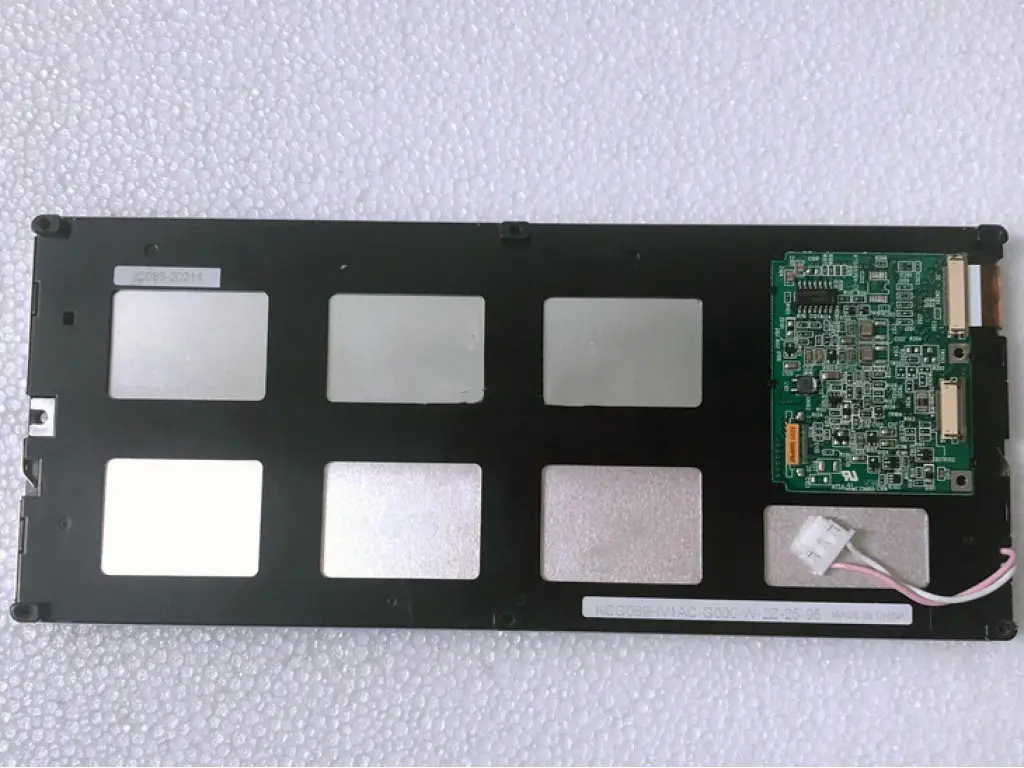
Original Factory-Sealed Panels
Every unit is sourced directly from AUO Optronics through Zhiyan's first-hand supply channel. No refurbished, no B-grade. Factory seal intact.
100% Original | Factory Sealed
fact_check
100% Pre-Ship Testing & 6-Month RMA
Each panel passes through our six-step quality chain—incoming, display, appearance, interface, packaging, and tracking. Backed by a 6-month RMA.
Test OK Before Ship | RMA 6 Months
inventory_2
99 Units In Stock · Ships in 1–3 Days
Stocked in our Shenzhen Longhua warehouse. Standard lead time 1–3 business days; quotations returned within 24 hours.
99 In Stock | Lead Time 1-3 Days
local_shipping
Worldwide Shipping with Full Tracking
DHL, FedEx, UPS and TNT available. ESD-safe packaging. Typical door-to-door delivery: 5–7 business days globally.
DHL · FedEx · UPS · TNT | WorldwideQuality issue? Return freight is on us. Damaged in transit? We cover it in full.
Why 1,000+ Engineers Trust Zhiyan Since 2013
factory 18 Years of Industrial LCD Supply Chain Expertise
- warehouse 30,000+ m² ready-to-ship warehouse with tens of millions of dollars of LCD inventory on hand
- category 100,000+ LCD models covered — from mainstream panels to discontinued & hard-to-find EOL models
- groups 200+ staff, including a dedicated engineering team of 10+ for pre-sales matching and after-sales support
- handshake Direct factory sourcing from Kyocera, KOE, and NANYA; long-standing supply partnerships across Taiwan and South Korea
- sync One-stop service: sourcing → evaluation → testing → packaging → global logistics → technical support
fact_check 6-Step Inspection — No Panel Ships Untested
inventory_2
Incoming
monitor
Display Test
visibility
Appearance
settings_input_component
Interface
view_in_ar
Packaging
flight_takeoff
Shipment
- done_all Every panel is visually inspected, electrically powered-on tested, and interface-verified before packing
- inventory_2 Anti-static, shock-proof professional packaging for international transit
- verified What you see is what you get — product consistent with description, or return freight on us
verified_user Verified by Third Parties, Compliant in Your Market


- check TÜV Rheinland On-Site Verified Supplier (Alibaba.com Verified Supplier, Cert. No. 139632585_T) — factory audit covering production capacity, quality assurance & R&D
- check EU Authorized Representative (EC REP) appointed — EUREPSTAR GmbH, Germany, valid 2025–2027, CE technical files maintained
- check CITEO Registered (France, packaging EPR compliance, ID: FR293377_01SEXD)
- check Der Grüne Punkt Licensed (Germany, VerpackG packaging compliance, Reg. No. DE4833497804557)
- check All panels RoHS 2.0 compliant, lead-free, mercury-free WLED backlight
- check Registered company: Shenzhen Zhiyan Optoelectronics Co., Ltd. — VAT/Reg. No. 91440300MA5GQNC36C
precision_manufacturing Trusted Across 13+ Industries Worldwide
Industrial Automation
HMI panels & factory control displays for automation integrators
Medical Devices
Auxiliary diagnostic & monitoring displays for medical device makers
POS/ATM
Replacement screens & bulk supply for POS/ATM manufacturers
Marine Electronics
Marine navigation display modules
Repair Market
EOL & obsolete panel sourcing for global repair centers
Embedded / OEM
Custom display solutions: touch bonding, brightness, cables, OEM labeling
Send us your LCD model number, application and quantity — our engineers will recommend a compatible solution within 24 hours.
local_shipping In Stock. Tested. Shipped in 1–3 Days.
timer
1–3 day lead time for in-stock items; same-day dispatch available in some cases
public
Worldwide shipping via express couriers, full tracking from warehouse to door
account_tree
Every order follows the same chain: Warehouse → QC → Packaging → Shipping → You
gpp_good
Transportation damage covered by us — zero risk on your side
What Buyers Say — 4.8/5 from Verified Orders
star
star
star
star
star_half
local_shipping On Delivery
"My package arrived at the expected date (6 days after the purchase) and in good condition."
"Fast shipping, good communication, goods as described, will buy again."
support_agent On Service
"The communication with customer service was very smooth, the logistics speed was also fast, the product was consistent with the description."
"Fast delivery, competitive price, excellent support."
inventory_2 On Hard-to-Find Models & Price
"Good price for things hard to find!"
"Excellent quality, affordable price, worth recommending."
Join engineers and buyers from industrial automation, medical and marine industries — get your quotation within 24 hours.