

















- Industrial display
-
Industrial Products
- DC Servo Drive
- AC Servo Drive
- Industrial board
- Siemens
- Switch Sensor
- Proximity Switch
- Temperature Controller
- Protection Relay
- Fiber Optic Sensor
- Encoder
- Fan
- other
- Heidelberg
- MITSUBISHI
- FANUC
- Siemens adapter
- Fujitsu connector
- Motherboard
- Board
- Contactor
- Circuit
- OMRON
- Relay
- Motor Driver
- power supply
- Cable
- Transformer
- HMI Touch Glass
-
HMI Full Machine Whole unit
- OMRON HMI Touch Panel
- Siemens HMI Touch Panel
- Mitsubishi HMI Touch Panel
- Allen-Bradley automation HMI Touch Panel
- DELTA HMI Touch Panel
- Proface HMI Touch Panel
- KINCO DELTA HMI Touch Panel
- HITECH HMI Touch Panel
- WEINTEK HMI Touch Panel
- TECVIEW HMI Touch Panel
- WEINVIEW HMI Touch Panel
- PANASONIC HMI Touch Panel
- KYOCERA HMI Touch Panel
- SCHNEIDER HMI Touch Panel
- Module
- lcd inverter
- Membrane Keypad Switch
- Zhiyan Customized Touch Screens
- Frequency Inverter
- Servo Motor
- PLC
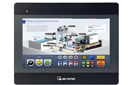
In the intricate world of industrial automation and machinery, the human-machine interface (HMI) serves as the critical bridge between complex operations and intuitive control. At the heart of a reliable HMI often lies a specific, high-performance component: the display screen. This article delves deep into the AC101TB01 10.1" LCD Display Screen, a component engineered explicitly for integration with Mitsubishi systems. Far more than a simple monitor, this display is a tailored solution designed to meet the rigorous demands of industrial environments where Mitsubishi programmable logic controllers (PLCs), HMIs, and other automation equipment are deployed.

We will explore not only the technical specifications and physical attributes of the AC101TB01 but also its pivotal role within larger systems. From its compatibility and integration pathways to its robust construction for enduring harsh conditions, this screen represents a key investment in operational continuity. Understanding its features, applications, and maintenance considerations is essential for engineers, procurement specialists, and maintenance teams who rely on Mitsubishi ecosystems. This comprehensive guide aims to provide the depth of knowledge needed to make informed decisions regarding implementation, troubleshooting, and lifecycle management of this vital industrial component.

Technical Specifications and Core Features
The Mitsubishi AC101TB01 is defined by a precise set of engineering parameters that qualify it for industrial duty. Its core is a 10.1-inch diagonal TFT LCD panel, typically offering a resolution of 1024 x 600 (WSVGA). This aspect ratio and resolution provide ample, clear space for visualizing control schematics, data trends, and operational menus without occupying excessive panel space. The display employs a high-brightness backlight, often in the range of 500 nits or higher, ensuring readability in brightly lit factories or under direct ambient light.
Beyond the basics, critical features include a wide operating temperature range, allowing functionality in unregulated environments. Its touch interface, usually a durable resistive or projected capacitive touchscreen, is designed for reliability even when operators are wearing gloves. The module includes a LVDS (Low-Voltage Differential Signaling) interface for high-speed, noise-resistant image data transmission from the controller board. These specifications collectively translate to a display built for clarity, durability, and seamless data transfer within an industrial control cabinet.
Compatibility and Integration with Mitsubishi Systems
The "for Mitsubishi" designation is not merely a suggestion; it signifies engineered compatibility. The AC101TB01 is designed as a direct replacement or original part for specific series of Mitsubishi GOT (Graphic Operation Terminal) HMIs, such as certain models within the GT10, GT21, or GT23 series. Its electrical interface, mounting hole patterns, and connector types are manufactured to match Mitsubishi's proprietary specifications, ensuring a plug-and-play experience within these systems.
Successful integration requires verifying the exact model number of the host unit. The AC101TB01 is typically paired with a specific control board or base unit. Engineers must cross-reference Mitsubishi technical manuals to confirm compatibility, as using an incompatible display can lead to communication failures or physical fitting issues. This seamless integration minimizes downtime during replacement and guarantees that the display's drivers and signals are perfectly aligned with the Mitsubishi processor's expectations, preserving all original HMI functionality.
Design and Durability for Industrial Environments
Industrial settings present a gauntlet of challenges: vibration from heavy machinery, conductive dust, moisture, and significant electromagnetic interference (EMI). The AC101TB01 is constructed to withstand these adversities. Its front surface often features a strengthened glass or hard-coated plastic overlay to resist scratches and impacts. The enclosure is designed to be robust, with secure sealing to meet certain ingress protection (IP) standards, safeguarding internal electronics from particulate and liquid intrusion.
The component selection and board layout are optimized for EMI resistance, preventing screen flicker or data corruption in electrically noisy environments. Furthermore, the mechanical design ensures secure mounting, often using metal brackets or screw fixings that prevent dislodgement due to constant vibration. This focus on ruggedized design directly contributes to system mean time between failures (MTBF), reducing unscheduled downtime and maintenance costs over the display's operational lifespan.
Common Applications and Use Cases
The application spectrum for the AC101TB01 is as broad as Mitsubishi automation itself. It is commonly found in factory automation lines, controlling and monitoring robotic assembly stations, conveyor systems, and packaging machinery. In process industries like chemical or water treatment, it serves as the visual interface for supervisory control and data acquisition (SCADA) systems, displaying real-time pressures, flow rates, and valve statuses.
Other prominent use cases include building management systems for controlling HVAC and lighting, and in specialized machinery for plastics injection molding, metal stamping, or CNC machine tool operation. In each scenario, the display acts as the local command center, allowing operators to start/stop processes, input parameters, view alarm logs, and access diagnostic information. Its reliability ensures that this vital window into the machine's operation remains clear and responsive under continuous use.
Installation, Calibration, and Maintenance Guidelines
Proper installation begins with electrostatic discharge (ESD) precautions to prevent damage to sensitive LCD and touch panel components. Following Mitsubishi's detailed replacement guide is paramount. This involves safely powering down the system, removing the old display, carefully connecting the LVDS ribbon cable and touchscreen flex cable to the correct headers on the control board, and securely fastening the new unit into the bezel or panel cutout.
Post-installation, calibration of the touchscreen may be required through the HMI's system settings to ensure accurate touch registration. Preventive maintenance primarily involves keeping the screen clean with appropriate, non-abrasive cleaners and soft cloths to avoid damaging anti-glare coatings. Regularly checking the integrity of cables and connections during routine system audits can preempt failures. There are no user-serviceable parts inside the display module itself; repairs require specialized technical expertise.
Troubleshooting and Sourcing Authentic Replacements
Common issues with the AC101TB01 include a blank screen (check power and LVDS cable), a dim display (potential backlight inverter or LED failure), or unresponsive touch (faulty touch panel or cable). Systematic troubleshooting involves verifying input power, inspecting all internal connections for looseness or damage, and testing with a known-good control board if possible.
When sourcing a replacement, the risk of counterfeit components is significant. Authentic AC101TB01 displays ensure compatibility, performance, and longevity. Procurement should be done through authorized Mitsubishi distributors or highly reputable industrial parts suppliers who provide traceability and warranties. Using non-genuine parts may save cost initially but can lead to premature failure, compatibility issues, and potentially void warranties on the larger HMI system, resulting in higher total cost of ownership.
FAQs: AC101TB01 10.1" LCD Display for Mitsubishi
1. What Mitsubishi HMI models is the AC101TB01 compatible with?It is primarily designed as a replacement screen for specific Mitsubishi GOT series models like the GT1055, GT1155, GT2104, and GT2308. Always verify with your unit's specific model number.
2. Is the AC101TB01 a touch screen?Yes, it typically incorporates a resistive or capacitive touch panel, allowing for direct operator input on the HMI.
3. What is the screen resolution?The standard resolution is 1024 x 600 pixels (WSVGA).
4. Can I use this display with a non-Mitsubishi system?It is not recommended. The interface (LVDS) and pinout are customized for Mitsubishi controllers, making direct integration with other brands difficult without a custom interface board.
5. How do I clean the AC101TB01 screen?Use a soft, lint-free cloth slightly dampened with water or a screen cleaner designed for coated glass. Avoid abrasive cloths, ammonia-based cleaners, or excessive liquid.
6. My display is dim. Can the backlight be replaced?The backlight (LED array) is integrated into the LCD module. While technically replaceable, it requires specialized disassembly and is often best addressed by replacing the entire display module.
7. Where can I buy a genuine AC101TB01?Source from authorized Mitsubishi Electric distributors or certified industrial electronic parts suppliers to guarantee authenticity.
8. What does LVDS stand for and why is it used?LVDS stands for Low-Voltage Differential Signaling. It is used for its high-speed data transmission and high noise immunity, which is crucial in industrial environments.
9. Is the display resistant to vibration?Yes, its construction and secure mounting design are intended to withstand the vibrations typical in industrial machinery settings.
10. What should I do if the touch screen is not responding accurately?First, perform a touch calibration through the HMI's system settings menu. If the issue persists, check the touchscreen flex cable connection or consider potential touch panel failure.
Conclusion
The Mitsubishi AC101TB01 10.1" LCD Display Screen is a quintessential example of a specialized industrial component. Its value extends far beyond its basic function of presenting an image; it is a meticulously engineered interface built for reliability, clarity, and seamless operation within the demanding ecosystem of Mitsubishi automation. From its technical design that battles environmental extremes to its plug-and-play compatibility with specific GOT series HMIs, every aspect is optimized for sustained performance.
For professionals responsible for maintaining and optimizing these systems, understanding this component's nuances—from proper sourcing and installation to troubleshooting and maintenance—is a critical competency. Investing in an authentic AC101TB01 and adhering to best practices in its deployment is an investment in operational resilience. In the landscape of industrial control, where downtime is measured in lost productivity, such a component is not merely a spare part; it is a pillar of continuous, efficient, and reliable human-machine interaction.





