


















- Industrie-LCD-Display
-
Industrial Products
- DC Servo Drive
- AC Servo Drive
- PCB
- Siemens
- Switch Sensor
- Näherungsschalter
- Temperaturregler
- Schutzrelais
- Fiber Optic Sensor
- Encoder
- Fan
- other
- Heidelberg
- MITSUBISHI
- FANUC
- Siemens adapter
- Fujitsu connector
- Der Aufsichtsrat
- Board
- Contactor
- Circuit
- Omron
- Relais.
- Motortreiber
- power supply
- Cable
- Transformator
- HMI Touch-Glas
-
HMI-Vollautomat Ganze Einheit
- OMRON HMI Touch Panel
- Siemens HMI Touch Panel
- Mitsubishi HMI Touch Panel
- Allen-Bradley Automatisierung HMI Touch
- DELTA HMI Touch Panel
- EVIEW DELTA HMI Touch Panel
- KINCO DELTA HMI Touch Panel
- HITECH HMI Touch Panel
- WEINTECK HMI Touch Panel
- TECVIEW HMI Touch Panel
- WEINVIEW HMI Touch Panel
- PANASONIC HMI Touch Panel
- KYOCERA HMI Touch Panel
- SCHNEIDER HMI Touch Panel
- Module
- LCD Wechselrichter
- Membran Tastenfeld Schalter
- Winni Touch Screens
- Frequenzumrichter
- Servo Motor
- PLC
In the intricate ecosystem of electronic device repair and manufacturing, the display panel stands as the most critical point of human-machine interaction. For technicians, sourcing specialists, and product developers, identifying the exact right component is paramount. This article provides an in-depth exploration of the G121SN01 V4, a 12.1-inch display panel manufactured by AU Optronics (AUO). Far more than a simple part number, this panel represents a specific technological solution with defined characteristics, typical applications, and key considerations for integration and replacement.
We will dissect its technical specifications, from resolution and brightness to interface and power consumption. We will trace its common applications in industrial and commercial devices, understanding why it was chosen for these demanding environments. Furthermore, we will guide you through the crucial process of compatibility verification, sourcing reliable units, and the practical aspects of installation and handling. This comprehensive guide aims to equip you with the knowledge to make informed decisions regarding the G121SN01 V4, transforming a procurement task into a strategic technical decision.
Decoding the G121SN01 V4: Core Technical Specifications
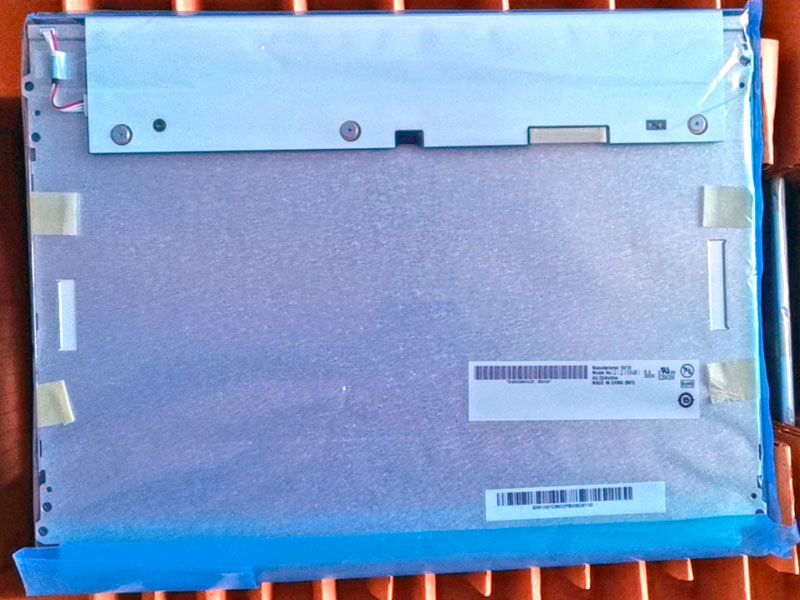
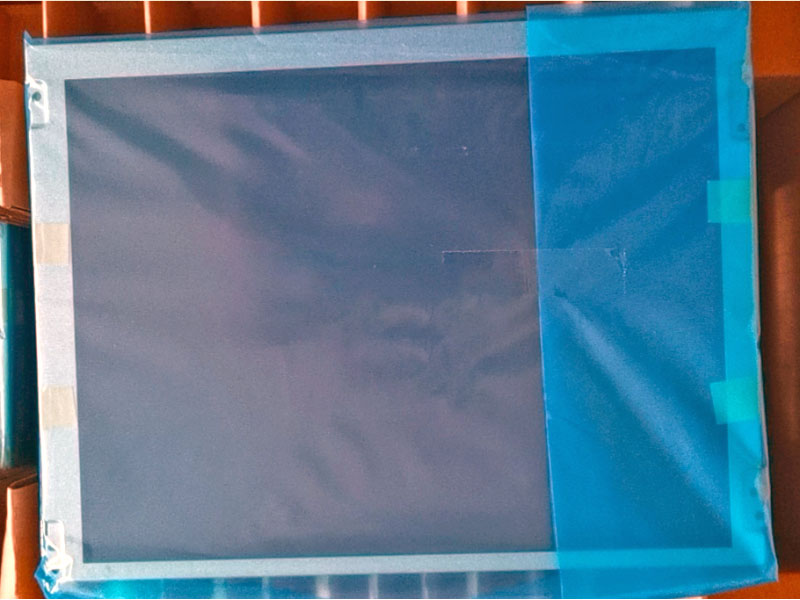
The AUO G121SN01 V4 is a 12.1-inch diagonal TFT-LCD display module. Its core identity is defined by a set of precise electrical and optical parameters. The panel features an XGA (1024 x 768 pixels) resolution, a 4:3 aspect ratio that was once the industry standard and remains prevalent in many industrial and point-of-sale systems. The typical brightness output ranges around 300 nits, making it suitable for indoor use under controlled or moderately bright lighting conditions.
It utilizes a CCFL (Cold Cathode Fluorescent Lamp) backlighting system, a technology largely succeeded by LED in consumer markets but still found in legacy and specific industrial designs. The interface is a single-channel LVDS (Low-Voltage Differential Signaling), a common and robust standard for transmitting high-speed video data. Understanding these specs is the first step; they dictate the panel's compatibility with existing controller boards and its suitability for the target environment's lighting.
Typical Applications and Use Case Scenarios
The G121SN01 V4 is not designed for consumer laptops or tablets. Its specifications point squarely towards embedded, industrial, and commercial applications. You will commonly find this panel in factory automation equipment, such as Human-Machine Interface (HMI) terminals on manufacturing floors, where its 4:3 format is efficient for displaying control schematics and data tables.
It is also a frequent component in specialized medical monitoring devices, legacy aviation displays, and robust point-of-sale (POS) systems. In these scenarios, reliability, long-term availability, and compatibility with older system architectures are often more critical than ultra-high resolution or slim profiles. The panel's design prioritizes stable performance over extended periods in 24/7 operational environments, often within enclosed systems that manage heat and connectivity.
The Critical Importance of Compatibility Verification
Assuming a panel will fit because it shares a size and brand is a costly mistake. The "V4" suffix in G121SN01 V4 indicates a specific revision, which may have subtle but critical differences from V1, V2, or V3 versions. Mechanical, electrical, and firmware compatibility must all be confirmed. Mechanically, one must verify the exact outline dimensions, mounting hole positions, and connector location.
Electrically, the pinout definition of the LVDS interface, the backlight inverter requirements (voltage, number of lamps), and power supply needs must match the host device's controller board. Using an incompatible panel can lead to no display, distorted images, backlight failure, or even damage to the device. Always cross-reference with the original manufacturer's datasheet and, if possible, the specific device's service manual.
Sourcing Strategies and Authenticity Checks
Given that the G121SN01 V4 is often used to repair or maintain existing equipment, sourcing can be challenging. New old stock (NOS) from authorized distributors or reputable specialist suppliers is ideal but may be limited. The secondary market, including parts salvaged from decommissioned equipment, is a common source. When sourcing, authenticity is paramount.
Examine the label on the rear of the panel for the exact AUO part number and revision. Inspect the build quality and look for any signs of physical tampering or rework. Reputable sellers should provide clear photos of the actual item, not just stock images. Be wary of prices that seem too good to be true, as counterfeit or heavily used panels labeled as new are a persistent risk in the component market.
Installation, Handling, and Electrostatic Discharge (ESD) Precautions
Successful installation begins with proper handling. LCD panels are extremely fragile, both physically and electrically. Always handle the panel by its edges, avoiding any pressure on the screen surface or the delicate ribbon cables. Electrostatic discharge (ESD) is a silent killer of electronic components. Work on an ESD-safe mat, wear a grounded wrist strap, and keep the panel in its anti-static bag until the moment of installation.
During installation, ensure all power to the device is disconnected. Carefully route and secure cables, ensuring the LVDS connector is firmly seated and locked. For CCFL-backlit panels like the G121SN01 V4, handle the inverter connections and the lamps themselves with extra care, as they are high-voltage and mechanically delicate. A methodical approach prevents damage to both the new panel and the host device.
Future-Proofing and Alternative Considerations
While repairing with a like-for-like G121SN01 V4 is often the most straightforward path, it's wise to consider the landscape. CCFL backlights have a finite lifespan and are becoming obsolete. In some cases, a directLED-backlit replacement panel with identical interface and mechanical specifications may be available, offering improved longevity, lower power consumption, and a wider operating temperature range.
Alternatively, if the host system is being redesigned or upgraded, evaluating newer panels with modern interfaces (like eDP) and higher resolutions may be worthwhile. However, this typically requires a controller board change. The decision hinges on the required longevity of the repair, total cost of ownership, and the future availability of the G121SN01 V4 itself.
FAQs: G121SN01 V4 Display Panel
1. What is the G121SN01 V4?It is a 12.1-inch XGA (1024x768) TFT-LCD panel with CCFL backlight, manufactured by AU Optronics.
2. What does the "V4" mean?It indicates the fourth revision or version of this specific panel model, which may have internal component or firmware updates.
3. What is it commonly used for?Primarily in industrial HMIs, medical devices, legacy POS systems, and other embedded commercial equipment.
4. Is it compatible with all 12.1-inch displays?No. Compatibility depends on exact mechanical dimensions, interface pinout, backlight type, and power requirements.
5. Can I replace it with an LED-backlit panel?Only if you find a drop-in compatible LED panel with matching mechanical, electrical, and interface specs, or are willing to modify the system.
6. How do I avoid damaging the panel during installation?Use ESD protection, handle by the edges, do not touch circuits or ribbons, and ensure connectors are properly aligned before seating.
7. Where can I source a genuine G121SN01 V4?From specialized electronic component distributors, reputable suppliers of AUO panels, or trusted vendors dealing in industrial salvage parts.
8. What are the signs of a failing CCFL backlight?Dimming, flickering, a pinkish hue, or complete darkness while the image can faintly be seen with a flashlight.
9. Does it support touch functionality?No, the G121SN01 V4 is a display-only module. Touch would be provided by a separate overlay digitizer.
10. What is the typical operating lifetime?CCFL backlights often have a rated half-life of 30,000 to 50,000 hours. The LCD itself can last much longer if not physically damaged.
Conclusion
The AUO G121SN01 V4 is more than a spare part; it is a key component enabling the continued operation of vital industrial and commercial equipment. Successfully integrating or replacing it requires a deep understanding of its technical profile, a meticulous approach to compatibility, and careful handling practices. This journey from specification sheet to functioning display underscores the critical role of precise component knowledge in technical fields.
As technology marches forward, panels like the G121SN01 V4 serve as a bridge between legacy systems and modern operational needs. Whether opting for a direct replacement or exploring upgraded alternatives, the informed decisions you make ensure reliability, minimize downtime, and ultimately protect your investment in critical hardware. In the world of display technology, knowledge is indeed the clearest picture of all.





